GrowthLedger
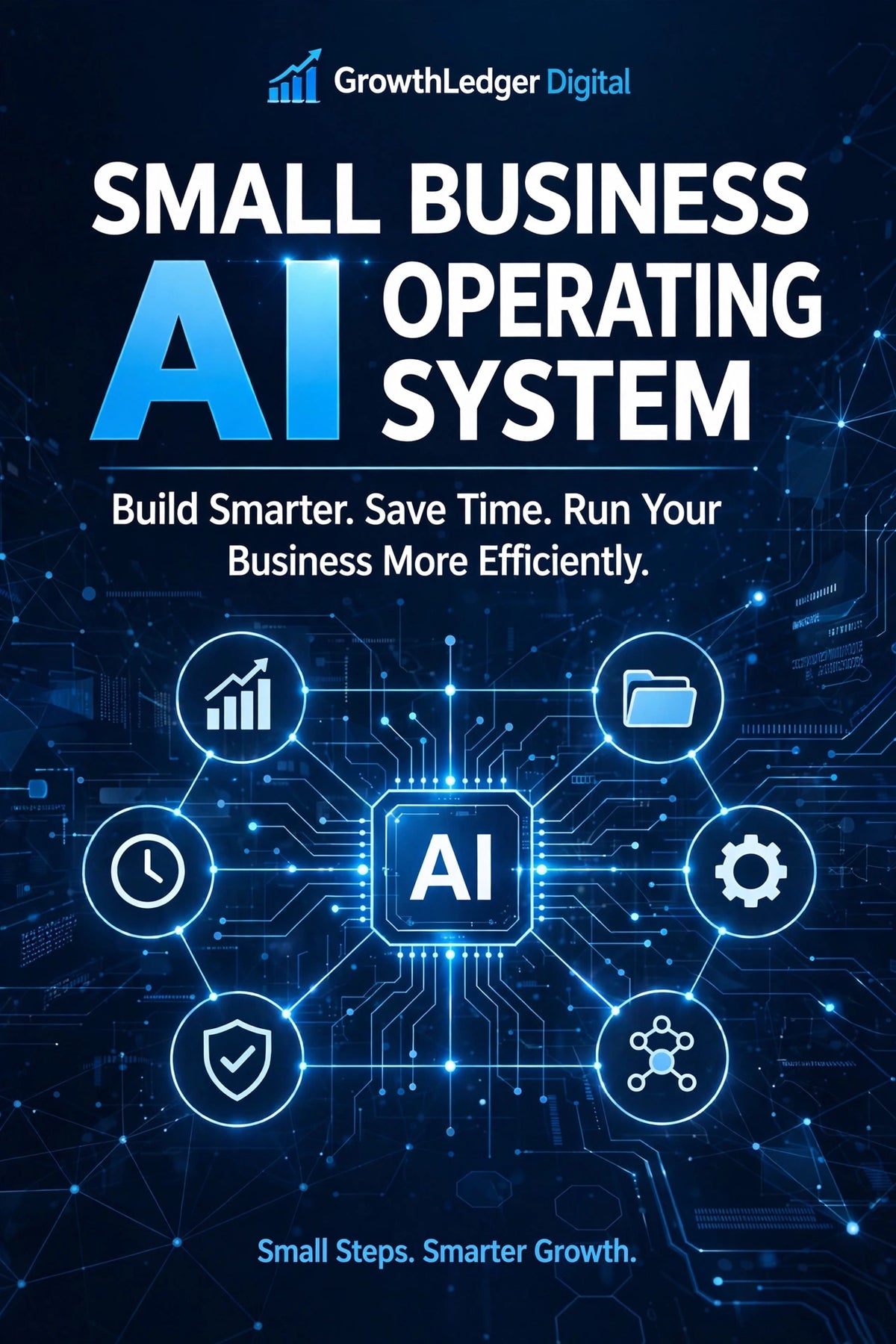
SMALL BUSINESS AI OPERATING SYSTEM
SMALL BUSINESS AI OPERATING SYSTEM
Instant digital download. By purchasing, you agree to immediate access and acknowledge that you lose your 14-day right to cancel once your download is available. Faulty files are always fixed, replaced or refunded.
Couldn't load pickup availability
SMALL BUSINESS AI OPERATING SYSTEM
Stop Doing Everything the Hard Way. Start Running Your Business Smarter.
Build Smarter. Save Time. Run Your Business More Efficiently.
12 Practical Modules. Reusable AI Prompts. Real Business Workflows. One Clear Implementation Plan.
Running a small business means doing a lot of things yourself. Marketing, sales, customer service, administration, planning and everything in between.
But what if you had a practical system to help organise those responsibilities, simplify repetitive tasks and make better use of artificial intelligence?
Introducing the Small Business AI Operating System: a practical digital business toolkit designed to help small business owners, freelancers and solo entrepreneurs build more organised, efficient ways of working with AI.
This isn’t a software platform or a collection of disconnected AI tips. It’s a structured, step-by-step resource that shows you how to put AI to work across the everyday functions of your business.
You don’t need a large team.
You don’t need to be a technology expert.
And you don’t need to automate everything overnight.
You need a practical starting point.
[GET YOUR COPY TODAY]
Your business has enough to deal with. Your systems should make life easier.
Running a small business often means wearing every hat.
One minute you’re responding to customers. The next you’re writing marketing content, preparing quotations, chasing enquiries, organising paperwork, reviewing finances or trying to work out what needs doing tomorrow.
The challenge isn’t necessarily a lack of effort.
It’s that too much valuable time can disappear into repetitive tasks, disconnected processes and trying to remember everything that needs attention.
Artificial intelligence can help, but knowing what it can do and knowing how to apply it effectively are two different things.
Imagine having practical workflows to help you:
- Organise your working day and prioritise important tasks.
- Create marketing content without starting from a blank page.
- Develop lead-generation and customer enquiry processes.
- Prepare sales messages, quotations and follow-ups.
- Organise customer service and feedback.
- Simplify routine administration and paperwork.
- Understand how workflow automation works.
- Monitor business performance and identify opportunities.
- Make better-informed operational decisions.
The Small Business AI Operating System brings these areas together into one structured programme.
Instead of experimenting randomly with AI, you’ll have a practical framework to help you decide where to start, what to improve and how to build from there.
Introducing the Small Business AI Operating System
One practical toolkit. Twelve essential business functions.
The Small Business AI Operating System is designed to help you build your own collection of AI-supported business workflows.
Each module concentrates on a different area of running a business.
You’ll find practical explanations, reusable prompts, business examples, implementation guidance and checklists to help turn ideas into action.
The aim is simple: help you move beyond asking AI occasional questions and start using it more systematically in your everyday business activities.
This is a learning and implementation toolkit, not preconfigured software. You use the guidance and prompts to build workflows around the AI tools and business applications you choose.
Everything you need to start building smarter business workflows
Your toolkit brings together:
- 12 practical learning modules covering the key functions of a small business.
- Reusable AI prompts that you can copy, adapt and use for specific business tasks.
- Business workflow examples showing how AI can support everyday operations.
- Step-by-step guidance to help you put the ideas into practice.
- Implementation checklists to help organise your progress.
- Planning and reporting structures to support better business organisation.
- Performance tracking guidance to help you understand what is working.
- Security and responsible-use procedures to help protect your business and its information.
- A structured 30-day implementation roadmap to help you get started without trying to change everything at once.
You don’t have to implement every workflow.
Start with the processes that take up the most time, create the biggest headaches or offer the clearest opportunity for improvement.
Then build from there.
Explore all 12 practical modules
01 — Build Your AI Business Headquarters
Establish the foundation for using AI throughout your business.
Create a business profile, establish reusable instructions for your AI assistant and develop a central starting point for everyday tasks.
You’ll learn how to:
- Choose an appropriate AI assistant.
- Give AI useful information about your business.
- Create reusable business instructions.
- Prepare daily briefing prompts.
- Establish a consistent approach to using AI.
The outcome: A more organised starting point for your AI-supported business activities.
02 — Business Planning and Daily Operations
Bring more structure to your working day.
Use AI to help organise tasks, identify priorities, prepare for meetings, analyse problems and establish practical management routines.
You’ll learn how to:
- Organise and prioritise workloads.
- Structure daily and weekly plans.
- Identify important tasks.
- Prepare meeting agendas and summaries.
- Evaluate business decisions.
- Establish a weekly management review.
The outcome: A clearer approach to planning, organising and managing everyday business responsibilities.
03 — The AI Marketing Machine
Build a more consistent marketing process without constantly starting from scratch.
Use AI to understand your customers, develop marketing messages, plan campaigns and create content ideas that support your business objectives.
You’ll learn how to:
- Define your target customer.
- Develop clearer marketing messages.
- Plan promotional campaigns.
- Create content ideas and social media material.
- Repurpose existing content.
- Develop email marketing sequences.
- Review marketing performance.
The outcome: A repeatable marketing process that gives your business a clearer direction.
04 — Lead Generation and Customer Acquisition
Create a more organised approach to attracting and managing potential customers.
Explore how lead magnets, landing pages, enquiry processes and follow-up routines can work together.
You’ll learn how to:
- Identify potential lead sources.
- Develop useful lead magnets.
- Structure lead-capture journeys.
- Prepare landing-page content.
- Organise and qualify enquiries.
- Develop follow-up processes.
- Track potential customers.
- Understand where automation can help.
The outcome: A more structured process for managing potential customers from initial interest to enquiry.
05 — Sales Operations and Conversion Systems
Improve the way you handle sales opportunities.
Use AI to help prepare product descriptions, quotations, customer responses and follow-up messages while keeping your selling process professional and customer-focused.
You’ll learn how to:
- Handle incoming enquiries.
- Present products and services more clearly.
- Prepare quotation drafts.
- Respond to common objections.
- Develop follow-up messages.
- Organise the customer purchasing journey.
- Track sales activity and review performance.
The outcome: A clearer and more consistent approach to managing sales opportunities.
06 — Customer Service and Retention
Develop better systems for supporting customers before and after a purchase.
Use AI to organise common questions, prepare response drafts, analyse feedback and improve customer service routines.
You’ll learn how to:
- Create a customer service assistant prompt.
- Develop a frequently asked questions resource.
- Prepare customer response templates.
- Organise complaint handling.
- Collect and analyse feedback.
- Develop customer retention ideas.
- Review customer service performance.
The outcome: More organised customer support and a better understanding of customer needs.
07 — The Content Production Engine
Stop treating every piece of content as a completely new task.
Build a repeatable process for generating ideas, preparing content, adapting material for different platforms and organising your content library.
You’ll learn how to:
- Develop a master content brief.
- Generate relevant content ideas.
- Repurpose existing material.
- Prepare social media posts.
- Create image and video briefs.
- Check content quality.
- Organise a reusable content library.
- Establish a weekly production routine.
The outcome: A more manageable and consistent content production process.
08 — Administration and Finance Operations
Bring more organisation to the administrative side of your business.
Explore how AI can support document preparation, invoice administration, expense organisation and financial reporting.
You’ll learn how to:
- Prepare routine business documents.
- Organise invoice information.
- Track payment information.
- Structure expense records.
- Prepare financial summaries.
- Improve record organisation.
- Identify suitable administrative workflows.
- Maintain appropriate financial oversight.
The outcome: Better-organised administrative processes and clearer business information.
AI can assist with preparation and organisation, but financial records, calculations, payments and tax decisions must be checked and handled appropriately.
09 — Workflow Automation and Integrations
Move beyond individual AI prompts and understand how business applications can work together.
Explore the principles of triggers, actions, integrations and automated workflows, including practical examples using platforms such as Zapier, Make and n8n.
You’ll learn how to:
- Identify repetitive tasks suitable for automation.
- Understand triggers and actions.
- Explore application integrations.
- Design practical workflows.
- Configure and test automation.
- Identify errors and improve reliability.
- Evaluate the potential value of an automation.
The outcome: A clearer understanding of how to design and build connected business workflows.
Some integrations require additional configuration, accounts or paid services. The toolkit explains the principles and implementation process; it does not supply preconfigured automations.
10 — Business Intelligence and Performance Reporting
Make better use of the information your business already collects.
Learn how to organise useful performance measures, review results and identify patterns that can support better decisions.
You’ll learn how to:
- Identify meaningful business KPIs.
- Organise performance information.
- Monitor marketing and sales activity.
- Review conversion rates.
- Prepare weekly business reports.
- Compare performance over time.
- Identify opportunities for improvement.
- Establish a regular reporting routine.
The outcome: A more structured approach to understanding your business performance.
11 — Security, Data Protection and Human Oversight
Using AI effectively also means using it responsibly.
Understand how to protect business information, manage access to AI services and connected applications, and maintain appropriate human control.
You’ll learn how to:
- Identify sensitive business information.
- Minimise unnecessary data sharing.
- Assess AI tools and connected services.
- Improve account security.
- Manage permissions and integrations.
- Check AI-generated information.
- Establish human approval procedures.
- Develop responsible AI working practices.
The outcome: A more considered approach to using AI while protecting your business, your customers and your information.
12 — The 30-Day Implementation Plan
Bring the entire programme together and start building your own AI-supported business operating system.
This final module gives you a structured route from understanding the opportunities to introducing practical workflows into your business.
You’ll work through:
- A day-by-day implementation schedule.
- Weekly objectives and actions.
- A complete operating system blueprint.
- Workflow selection and prioritisation.
- Progress and performance reviews.
- Troubleshooting guidance.
- A longer-term 90-day improvement roadmap.
The outcome: A documented foundation you can continue developing as your business grows.
See how practical AI workflows can work
The difference between knowing about AI and using it effectively is having a clear task, the right instructions and a process for checking the result.
For example, instead of simply asking an AI assistant to help with your marketing, you can give it a structured brief.
Example reusable prompt
Act as a marketing planning assistant for my small business.
Using the business information I provide, help me prepare a practical seven-day marketing plan.
For each day, suggest one relevant content idea, its intended audience, the main message and a suitable call to action.
Keep the suggestions realistic for a small business with limited time and resources. Do not invent product features, prices, customer reviews or business claims. Ask me for missing information rather than making assumptions.
Present the results in a clear table and identify the three most important actions I should complete first.
This is the kind of practical approach the toolkit teaches: give AI a defined role, provide useful context, explain the task and check the output before using it.
The prompts are designed to be adapted to your own products, services, customers and working methods.
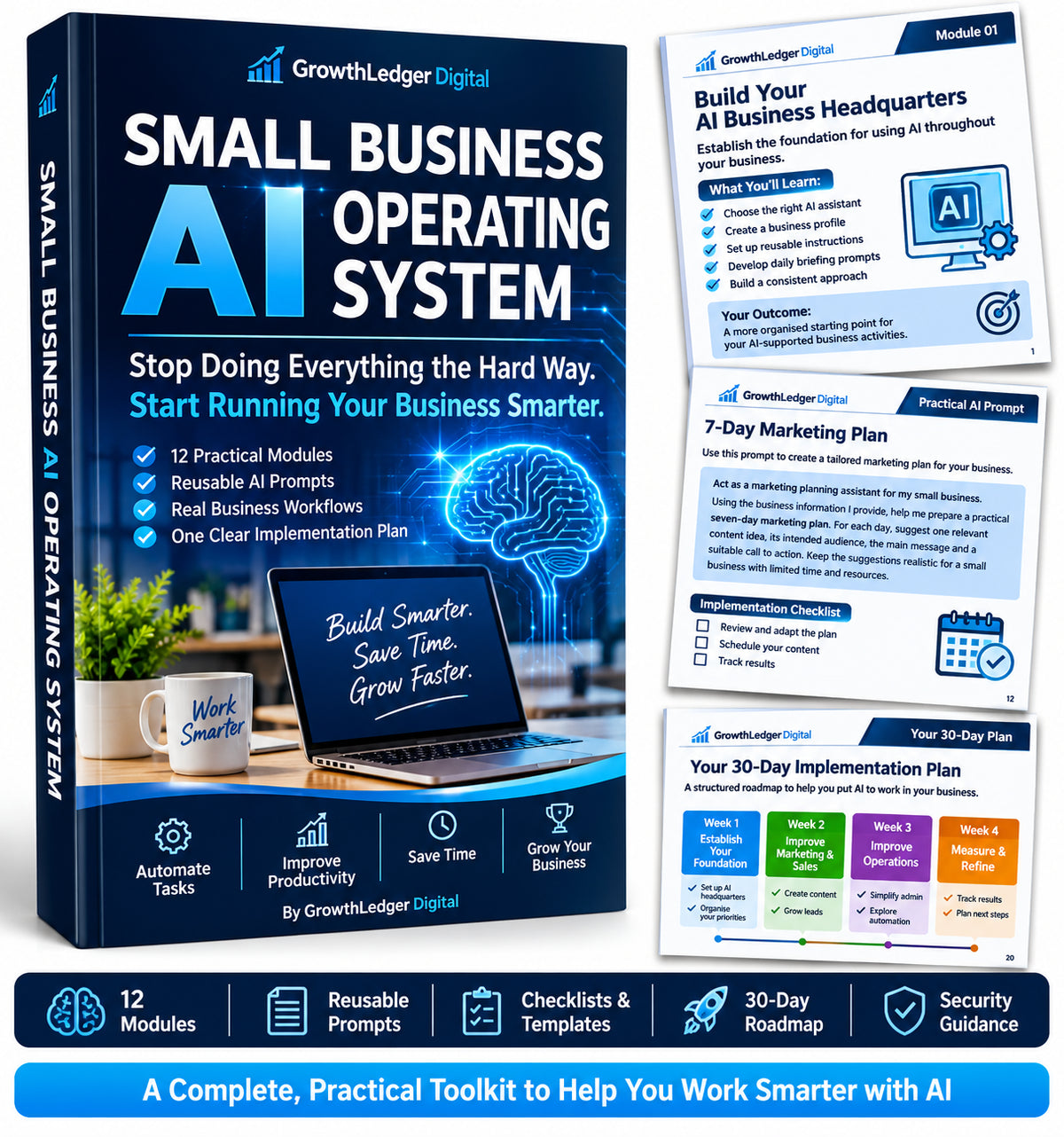
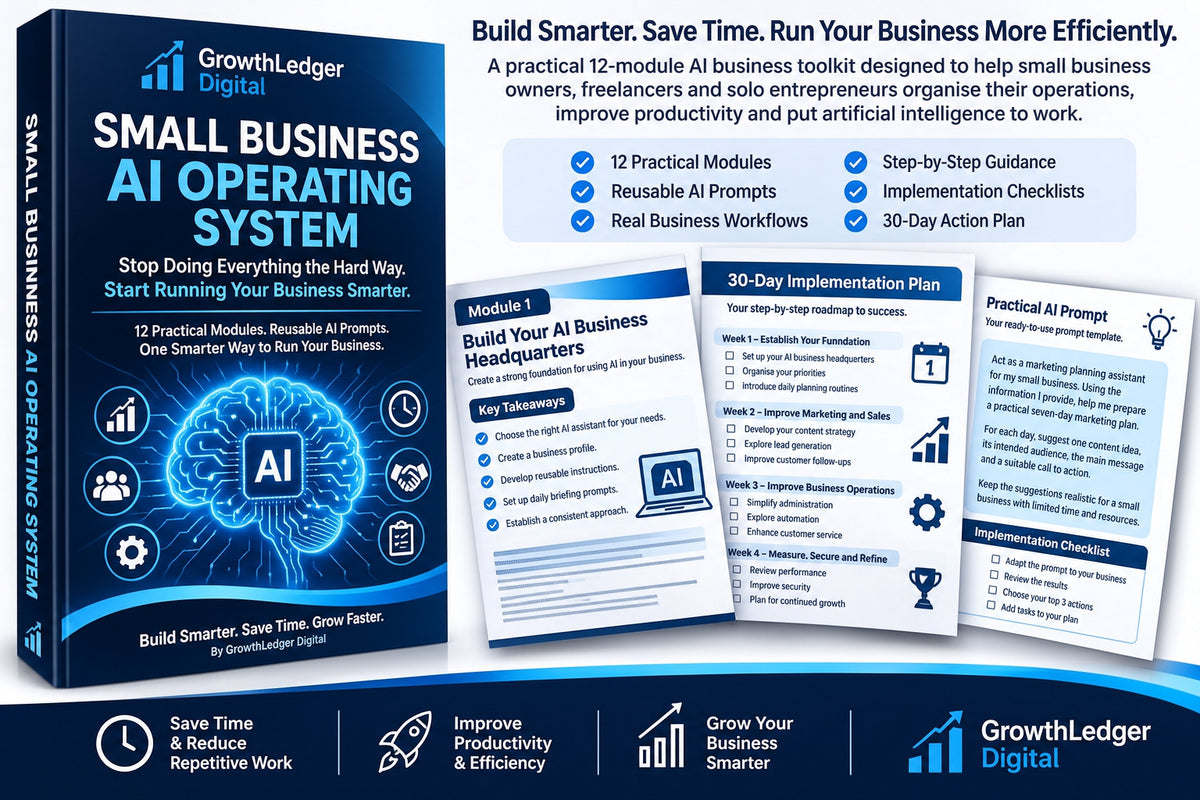
What does the toolkit look like?
You’ll be able to preview the actual resource before purchasing.
Product preview images to be displayed here:
- The Small Business AI Operating System cover.
- An example interior module page.
- An example practical AI prompt and implementation checklist.
These previews will show the real finished product, so you can judge the presentation and content before making your decision.
Who is this designed for?
The Small Business AI Operating System is designed for people who want practical ways to improve how they run their businesses.
Small business owners
You manage multiple responsibilities and want more organised processes without adding unnecessary complexity.
Solo entrepreneurs
You handle several business functions yourself and want practical ways to make your time go further.
Freelancers and independent professionals
You want useful AI support for administration, marketing, customer communication and everyday organisation.
New business owners
You want to establish smarter working practices and build more organised processes from the beginning.
Established business owners
You want to explore where AI and automation could improve existing business operations.
You don’t need programming skills or previous experience with business automation.
The toolkit starts with the foundations and progresses towards more advanced workflow concepts.
Why choose this approach?
There’s no shortage of AI information available online.
You can spend hours watching tutorials, reading articles and collecting prompts without ever establishing a practical system for your business.
The challenge is turning information into implementation.
The Small Business AI Operating System takes a different approach.
A structured business-first approach
The programme is organised around the actual functions of a small business, rather than random AI tools or disconnected ideas.
Practical prompts, not just explanations
Reusable instructions help you approach specific business tasks with a clearer starting point.
Examples that help you understand the process
See how AI can support everyday activities and adapt the workflows to your own circumstances.
A manageable implementation plan
The 30-day roadmap helps you make progress in stages rather than trying to change everything at once.
Budget-conscious implementation
You can begin with suitable tools you already have access to. Specialist features, subscriptions and automation services may involve additional costs, but you don’t need to purchase every tool to start learning and applying the principles.
Responsible use built into the programme
Security, data protection, accuracy and human oversight are treated as essential parts of using AI in business.
Your first 30 days start here
You don’t have to transform your business overnight.
The included 30-day implementation plan gives you a manageable route to introduce improvements progressively.
WEEK 1 — ESTABLISH YOUR FOUNDATION
Set up your AI business headquarters, create your business profile, organise your priorities and introduce daily planning routines.
WEEK 2 — IMPROVE MARKETING AND SALES
Develop your marketing process, explore lead generation, organise customer enquiries and improve sales follow-ups.
WEEK 3 — IMPROVE BUSINESS OPERATIONS
Develop customer service routines, simplify administration and identify your first suitable workflow automation.
WEEK 4 — MEASURE, SECURE AND REFINE
Establish useful performance measures, review your workflows, improve security and bring the different parts of your system together.
By the end of the 30 days, your aim is to have a documented foundation of AI-supported workflows that you can continue testing, improving and expanding.
The programme is a practical starting point. Your progress will depend on the time you invest, the tools you choose and how you apply the guidance.
Is this right for you?
This toolkit is for you if:
- You want to understand how AI can support the everyday running of a small business.
- You spend too much time on repetitive tasks.
- You want a more organised approach to marketing and customer enquiries.
- You want practical prompts rather than vague AI advice.
- You want to explore automation without needing to become a programmer.
- You’re prepared to put what you learn into practice.
This toolkit may not be for you if:
- You expect an instant, fully automated business.
- You want guaranteed sales, income or profits.
- You expect AI to make every business decision for you.
- You want a ready-made software platform rather than a learning and implementation resource.
- You don’t intend to test and apply the workflows.
The toolkit provides practical guidance and resources. Results depend on your business, the tools you use and how effectively you implement the material.
Frequently asked questions
Do I need previous AI experience?
No. The programme starts with the foundations, including how to establish an AI business headquarters, before progressing towards more advanced workflows and integrations.
Do I need to know how to code?
No. The core material focuses on accessible AI tools, prompts and business applications. Some integrations require configuration, but the programme explains the underlying principles and testing process.
Do I need expensive software?
Not necessarily. You can begin with suitable tools you already have access to. Some specialist features, subscriptions and integrations may carry additional costs depending on your chosen setup.
Is this a software platform that automatically runs my business?
No. The Small Business AI Operating System is a practical digital implementation toolkit. It teaches you how to design, organise and introduce AI-supported workflows using the tools and applications you choose.
Does it include ready-made automations?
It includes guidance, examples and instructions for understanding and building workflows. It does not include preconfigured automations that automatically connect to your business applications.
Can I work through it at my own pace?
Yes. The modules are designed to be followed in order or used as a reference when you want to improve a particular area of your business.
Will it guarantee more sales or profit?
No. No business resource can honestly guarantee commercial results. The aim is to help you improve organisation, productivity and business processes. The results depend on your implementation and the circumstances of your business.
What happens after I purchase?
You’ll receive the digital product through the delivery method specified at checkout. You can then work through the modules at your own pace.
Will the information remain useful as AI develops?
The programme focuses on practical business processes, workflow design and responsible implementation rather than relying solely on individual AI features. However, AI services and third-party applications can change, so you should always check current platform capabilities when following tool-specific instructions.
Stop collecting AI tips. Start building smarter business systems.
You don’t need another hundred disconnected AI ideas.
You need a practical way to bring the right ideas together and make them useful in your business.
The Small Business AI Operating System gives you:
- 12 practical modules.
- Reusable AI prompts.
- Business workflow examples.
- Step-by-step implementation guidance.
- Practical checklists and planning structures.
- A complete 30-day implementation roadmap.
Whether you’re running a business on your own, managing a small team or simply trying to make better use of your working day, this toolkit gives you a structured starting point.
Start with one workflow.
Improve one process.
Make one part of your business easier to manage.
Then build from there.
SMALL BUSINESS AI OPERATING SYSTEM
12 Modules. Practical AI Workflows. One Smarter Way to Run Your Business.
By GrowthLedger Digital
Small Steps. Smarter Growth.
[GET YOUR COPY TODAY]
Digital product. Delivery is provided according to the details shown at checkout. AI tools, third-party subscriptions and integrations may require separate accounts or additional fees.
Share